
What's new in v7?
Ts.ED CLI v7 overhauls the developer experience with schema-first inputs, deeper DI integration, and MCP-friendly tooling. This page highlights the most impactful changes so you can adopt them quickly.
Input Schema (Commands)
Commands now accept an inputSchema (@tsed/schema) that powers Commander flags, interactive prompts, MCP contracts, and AJV validation—all from one definition:
import {Command} from "@tsed/cli-core";
import {s} from "@tsed/schema";

@Command({
  name: "build",
  inputSchema: s.object({
    project: s.string().prompt("Project path").default(".").opt("--project <dir>"),
    install: s.boolean().prompt("Install deps?").default(true)
  })
})
export class BuildCmd {}
Prefer this schema-first approach over legacy args/options. See Command configuration for more helpers.
MCP server baked in
Run tsed mcp to expose commands, templates, and resources via the Model Context Protocol. V7 bundles stdio plus streamable HTTP transports, making it easy to point AI tooling at your CLI without shell access.
node --import @swc-node/register/esm-register src/bin/index.ts mcp --httpTemplates everywhere
defineTemplate accepts a schema so generators can reuse the same schema-first prompts/flags as commands:
import {defineTemplate} from "@tsed/cli";
import {s} from "@tsed/schema";

export default defineTemplate({
  id: "resolver",
  label: "GraphQL resolver",
  schema: s.object({
    model: s.string().prompt("Model name").default("User")
  }),
  render(symbolName, ctx) {
    return `export class ${symbolName}Resolver { /* model: ${ctx.model} */ }`;
  }
});- Hooks (
$afterCreateSourceFile) integrate withts-morphto auto-format or inject imports post-generation. tsed templatescaffolds boilerplate TypeScript templates in.templates/, replacing legacy Handlebars snippets with native template literals.
Templates currently target the functional API exclusively; decorate classes aren’t required.
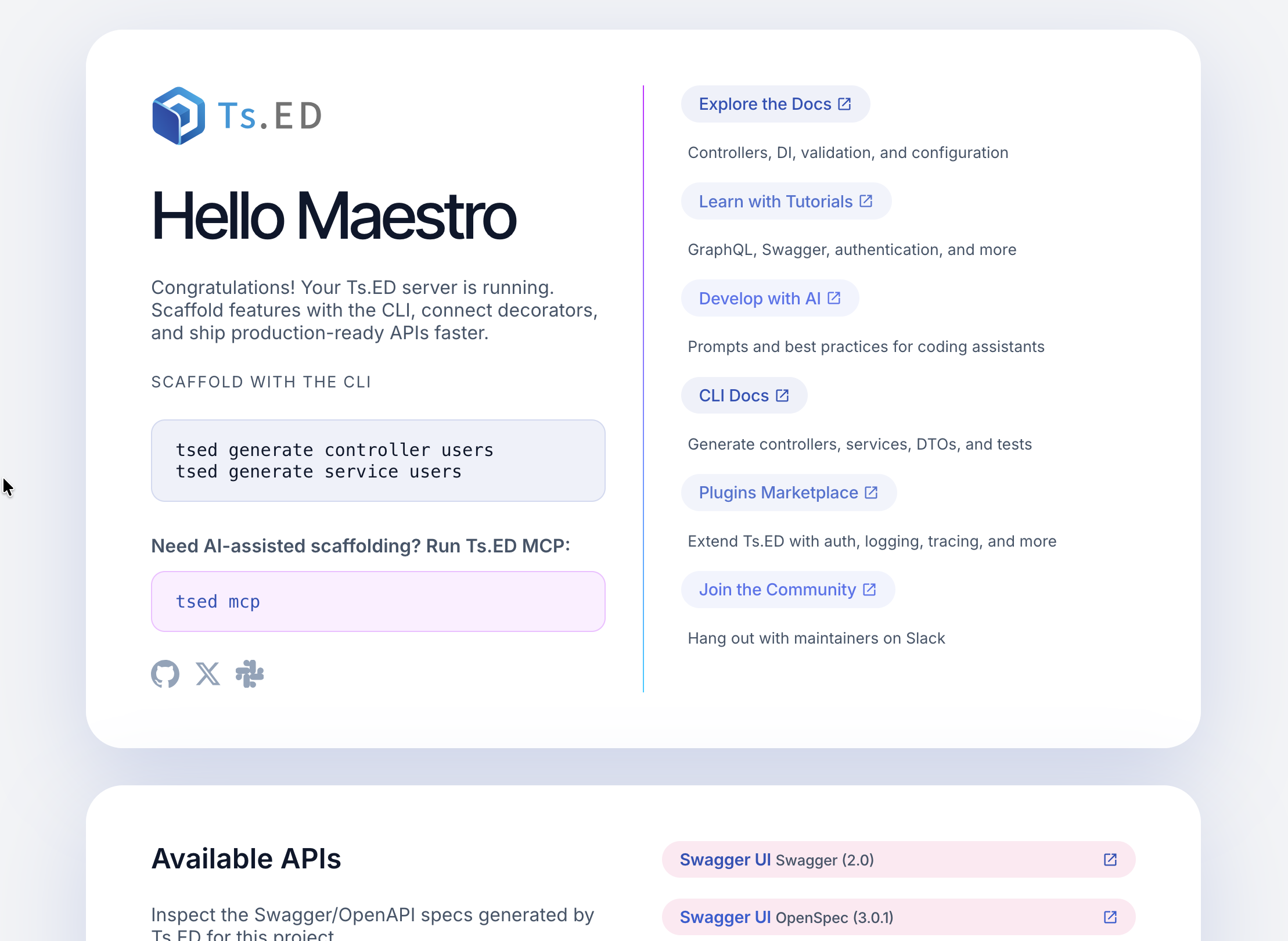
CLI init ships a HomeKit starter
Running tsed init now drops a ready-to-extend HomeKit starter page straight into your server. The generator wires the route, controller, and view so newcomers can explore Ts.ED conventions without hand-assembling boilerplate. It also preloads helper copy that explains how to add sensors, actions, and follow-up API endpoints, speeding up the first iteration of any app.
Decorators & functional APIs
The Command decorator and command helper now share the exact same option bag (name, alias, args/options, schema). Choose classes when you want DI-managed lifecycle hooks, or the functional helper for lightweight commands. Both benefit from inputSchema.
import {command} from "@tsed/cli-core";
import {s} from "@tsed/schema";

export const HelloCmd = command({
  name: "hello",
  inputSchema: s.object({name: s.string().prompt("Your name").default("Ts.ED")}),
  handler({name}) {
    console.log(`Hello ${name}!`);
  }
}).token();
Documentation & Guides
V7 ships a reorganized documentation set:
- A revamped CLI overview,
- dedicated guides for Commands, Prompts, Tasks, and Templates,
- refreshed Getting Started and Configuration articles,
- and this release summary.
Use these as canonical references when building custom CLIs or integrating MCP tooling.
New prompt & task runtimes
@tsed/cli-prompts replaces Inquirer with @clack/prompts, letting you build prompts inside DI:
import {PromptRunner, PromptQuestion} from "@tsed/cli-prompts";

const runner = await inject(PromptRunner);
const answers = await runner.run([{type: "input", name: "service", message: "Service name"}] satisfies PromptQuestion[]);
@tsed/cli-tasks replaces Listr with a renderer-agnostic task engine:
import type {Task} from "@tsed/cli-tasks";

const tasks: Task[] = [
  {
    title: "Install deps",
    task: async (_ctx, logger) => {
      logger.message("Running npm install...");
    }
  }
];